

Wed, 16 Sept 2026
How to list your space so it actually gets booked
Most spaces that sit unbooked aren't bad spaces. They're badly listed.
Someone looking for a room to hire is comparing yours against five others in a browser tab, and they're deciding in about eight seconds — from a photo, a headline and a number. They can't smell how good the coffee is downstairs or know that you're an easy person to deal with. All they have is what you put on the page.
This is the practical version: what to photograph, what to tidy, and how to work out a price that isn't a guess. It takes about an hour, and it's the difference between a listing and a listing that earns.
Part 1: The photos
CoHub gives you five photos and one video of up to 60 seconds. That's a deliberate limit — nobody scrolls thirty photos of a meeting room — but it means each of the five has a job.
Your phone is fine. Your lighting isn't.
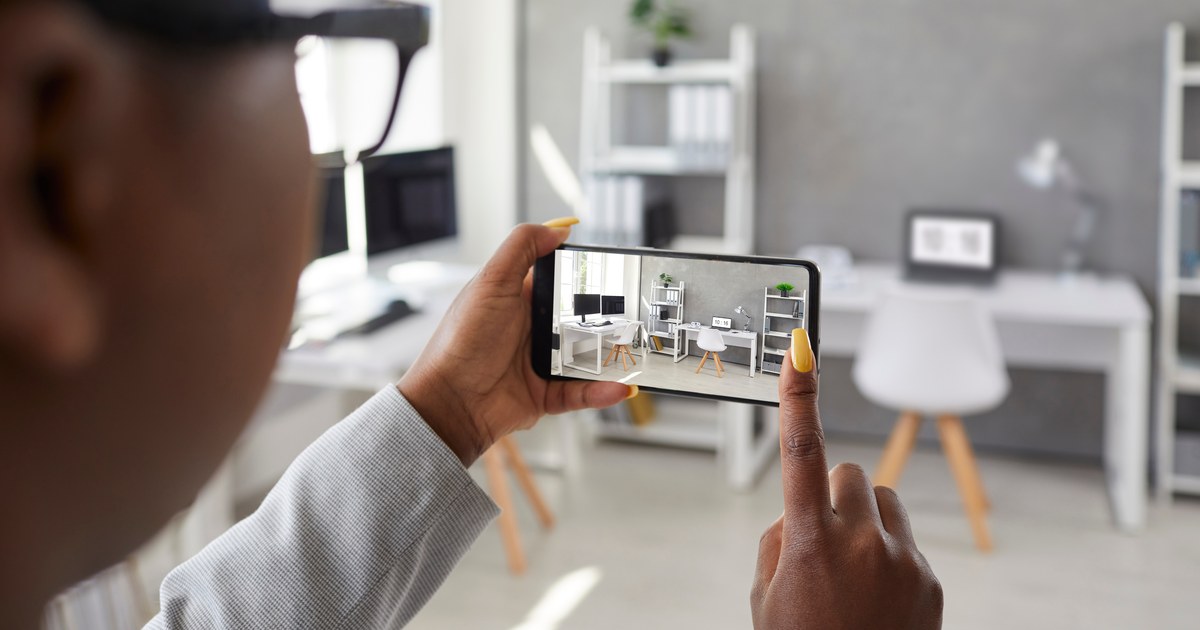
A modern phone camera is genuinely good enough. What separates an amateur listing photo from a professional one is almost never the camera — it's the light and the clutter.
Shoot in daylight. Mid-morning or mid-afternoon, on a bright but not blazing day. Turn every light in the room on as well, even during the day: mixed light looks warmer and fills the shadows under desks and in corners. Open the blinds all the way. If a window is blowing out to white, shoot with your back to it instead of facing it.
Never use the flash. It flattens the room, kills the depth and makes every space look like a real estate repossession listing.
Shoot from the corner, at chest height
Stand in a corner of the room, back to the wall, and shoot diagonally across it. This is the single biggest trick in property photography — a corner shot shows two walls and the full floor, so the room reads as its actual size. A photo taken from the doorway straight down the middle makes a good room look like a corridor.
Hold the phone at about chest height and keep it level. Tilting up makes the walls lean in; tilting down makes the ceiling vanish and the room feel squat. Most phones will show you a grid or a level — use it.
The five shots
In this order, because the first one is your thumbnail and does 80% of the work:
- The hero wide shot. The corner shot above, the best angle in the room, everything lit and clear. This is the photo people decide on.
- The second angle. From the opposite corner. Proves it's a real room and not one flattering angle.
- The thing that makes it good. The whiteboard wall. The roller door. The northern light. The 4.5m ceiling. Whatever the guest is actually coming for.
- The practical shot. The kitchenette, the bathroom door, the parking, the loading entrance, the lift lobby. This is the shot that stops the eight questions before they're asked.
- The context shot. The building entrance or the street, so people know they've arrived at the right place. Sounds boring. Massively reduces the "I'm out the front and I can't find it" phone call.
The video
Sixty seconds, shot walking. Start at the front door, walk in the way a guest would, turn slowly through the room, and end on whatever the best feature is. Hold the phone in landscape, walk heel-to-toe so it doesn't judder, and don't narrate unless you're good at it — silent is better than awkward.
That walk-through does something no still photo can: it shows the space is real, and it shows how you get to it.
What not to photograph
Faces of staff or customers who haven't agreed to be in it. Anything with a client name, an invoice, a screen with work on it, or a whiteboard someone else's strategy is written on. Zoom in on your own photo before you upload it — sensitive information ends up in listing shots constantly.
Part 2: Clean and presentable
Here's the thing people underestimate: photos of a tidy space don't just look better, they signal something. A clean listing photo says this person runs an organised operation and my booking will go smoothly. A photo with a half-eaten lunch on the desk says the opposite, and the guest can't articulate why they clicked away.
The twenty-minute reset before you shoot
Work through it in this order:
- Clear every horizontal surface. Desks, tables, windowsills, the top of the filing cabinet. Not tidied — cleared. Then put back only what belongs in the shot.
- Kill the cables. Loose power leads, a tangle under the desk, a charger dangling off the bench. Cable-tie them, tuck them, or move them out of frame. Nothing makes a space look unloved faster.
- Bins out of shot. Always.
- Take the personal stuff down. Family photos, kids' drawings, the roster, the post-it wall, the novelty mug. It's a commercial space in that photo, not your desk.
- Straighten the chairs. Pushed in, evenly spaced, all facing the same way. Takes thirty seconds and it's the difference between "meeting room" and "room with chairs in it".
- Clean the glass. Windows and any glass partition. Smears show up brutally on camera in daylight.
- Look at the floor. Vacuum marks and a clean floor read as professional in a way nobody consciously notices.
- Check the ceiling. A dead fluoro tube, a stained tile or a missing vent cover is the first thing a critical eye lands on.
Then the bit that matters more
Whatever you photograph, the space has to look like that when the guest walks in.
This is the most common way a first booking goes wrong. The photos were taken on a good day, the guest arrives on a normal one, and the gap between the two is the entire review. If the room only looks like the photos after a twenty-minute tidy, that twenty-minute tidy is now part of every booking. Build it into your prep, or photograph the room the way it usually looks.
Have a short pre-booking routine and run it every time: surfaces clear, bin emptied, chairs straight, room aired out, screen and whiteboard wiped, bathroom checked, and whatever you promised in the amenities actually present and working.
Part 3: Getting the price right
This is where most first-time hosts either leave money on the table or price themselves out of the market — usually the first.
Two prices matter on CoHub: an hourly rate and a daily rate. You can set one or both. There's also an optional minimum booking in hours, which you can leave blank if you don't want one.
Do the twenty-minute research
Don't guess and don't price off what feels polite. Do this:
- Search what you'd search. "Meeting room hire [your suburb]", "photography studio hire [your suburb]", "warehouse space hire near me" — whatever your space actually is.
- Open the first ten results that are real spaces, not directories.
- Write down each one's suburb, hourly rate, daily rate, minimum booking, and what's included.
- Throw out the two most expensive and the two cheapest.
- Look at where the middle six sit.
That's your market. Half an hour of that beats any rule of thumb, because your suburb, your building and your fit-out are specific and no general guide knows them.
What the Sydney market actually looks like
So you have a reference point before you start, here are real published figures as at September 2026.
Meeting rooms. Across Sydney, listed meeting rooms average around $99 per hour, with most sitting between $77 and $154. Location moves it hard:
| Area | Hourly range |
|---|---|
| Sydney CBD | $90–$195 (avg ~$149) |
| Darling Harbour | $100–$236 |
| Parramatta | $80–$300 |
| Surry Hills | $60–$140 |
| Chatswood | $65–$130 |
| North Sydney | $63–$102 |
Full days for meeting rooms run roughly $280 to $950, depending on size and location.
Desks. Coworking in Sydney averages about $681 per desk per month — the highest of the capital cities, against roughly $493 in Melbourne, $495 in Brisbane, $471 in Perth and $460 in Adelaide. That's a monthly membership figure, not a day rate, but it tells you what the market pays for a desk in a good building, and it's the number a casual day rate has to look like good value against.
Photography studios in Sydney run about $40 an hour at the low end to $300 at the top, with most working studios between $85 and $195.
Read those as the ceiling set by dedicated commercial operators with staff, reception and a twelve-month lease. If your space is a spare room in a business that's quiet on Wednesdays, you are not competing with a serviced office — and you shouldn't be priced like one.
Setting your two numbers
Hourly. Land somewhere in the middle of the six comparables you wrote down, then adjust honestly. Up if you have parking, a real kitchen, a separate entrance, good light, a loading dock, or you're in a suburb where those are scarce. Down if guests have to walk through your working office to reach it, there's no dedicated bathroom, or parking is a genuine problem.
Daily. Don't just multiply. A day rate is a volume discount — one booking, one prep, one changeover. Most operators price a full day at around six to seven times their hourly rate, so a $70 hour lands near $420–$490 a day. It has to be visibly better value than booking eight hours one at a time, or nobody uses it.
Minimum booking. Leave it blank and you'll take one-hour bookings. That's genuinely fine for a meeting room. But if a booking costs you thirty minutes of setup and thirty of reset, a one-hour booking is two hours of your day for one hour of income — set a two- or three-hour minimum and stop thinking about it. Be aware it raises your real floor price: a $50/hour space with a three-hour minimum is a $150 space, and guests compare that way.
Three pricing mistakes
Pricing at the bottom to get started. It's the instinct and it mostly backfires. A rate well under the market doesn't read as a bargain, it reads as something's wrong with it — and it's much harder to raise a price later than to run an opening discount now and let it end.
Pricing off your rent. What you pay per square metre is your business, not a price signal. The guest is paying for four hours in a room, and they're comparing your number to other rooms — not to your overheads.
Forgetting GST. If you're registered, decide whether your listed price includes it and say so plainly in your description. Two hosts advertising the same number can be 10% apart, and that argument is much better had before the booking than after.
What you actually take home
Worth being precise, because it changes the maths.
There's no monthly fee to list on CoHub. Your first booking is fee-free. After that, CoHub takes a flat 15% out of your payout — not added to the guest's price. So a $400 day booking is $400 to the guest and $340 to you.
That's it. Nothing else is deducted, and the guest never sees a different number to the one you set.
Part 4: The rest of the listing
The form is short. These are the fields worth thinking about rather than filling in.
Title. Say what it is, and where it is, in plain words — the placeholder says "e.g. Spare desks near Central Station" for a reason. Lead with the thing, follow with the landmark. "Boardroom for 10, 2 min from Parramatta station" works. "Modern Professional Premium Workspace Solution" doesn't tell anybody anything.
Description. Answer the questions you'd ask if you were booking. What's in the room. How you get in, and what happens if you arrive early. Where the car goes. Whether there's a bathroom, a kitchen, a lift, stairs. Wi-Fi and whether you'll share the password. What's off-limits. Whether anyone else will be in the building.
Then be straight about the flaws. The stairs, the street noise on weekday mornings, the parking that's fine after 9:30 and impossible before. Naming a limitation costs you the bookings that would have gone wrong anyway and wins trust from everyone else. The worst review you can get is "it wasn't what the listing said."
Capacity. The number who can comfortably work there, not the number you could fit. Overstating this is the fastest route to a bad first booking.
Amenities, plus the free-text field for anything not on the list. Only tick what's actually there and actually working on the day.
Preferred industries if you'd rather host certain kinds of work — useful if the space suits some uses much better than others.
Instant Book. On means confirmed bookings without you approving each one, which is the single biggest driver of getting booked at all — people book what they can book now. Off means you approve each request. If you're not sure, start with it off for your first two or three bookings while you work out your rhythm, then turn it on.
Photos & video — the five and the one, as above.
Then Submit for approval. Listings are reviewed before they go live, which is why the button says that and not "Publish". If something needs a fix, you'll hear about it.
The one-hour version
If you do nothing else:
- Tidy properly, then shoot five photos in daylight from the corners of the room.
- Walk the space once on video, sixty seconds, front door to best feature.
- Open ten comparable listings in your suburb and price to the middle of them.
- Write a description that answers the parking, access, bathroom and Wi-Fi questions before they're asked.
- Say what's wrong with it as well as what's good.
That's a listing that gets booked.
CoHub doesn't lease, manage or operate your space, and doesn't guarantee bookings. You're licensing the use of your space for the hours you agree to, under a Host Licence — you set the price, the hours and the rules, and you decide who's in it.
Market figures in this article are published rates as at September 2026 and will change. CoHub is an Australian marketplace for commercial space booked by the hour or the day. This article is general information, not legal, tax or financial advice — talk to your accountant about GST, and check your lease or insurance before hosting.